Notepad++ for your terminal.
Guinea Note is a free, open-source text editor for the terminal, written in Rust. Tabs, one Find/Replace panel with regular expressions, line tools and session restore — and saves that keep your bytes exactly as they were.
> npx guinea-note notes.md

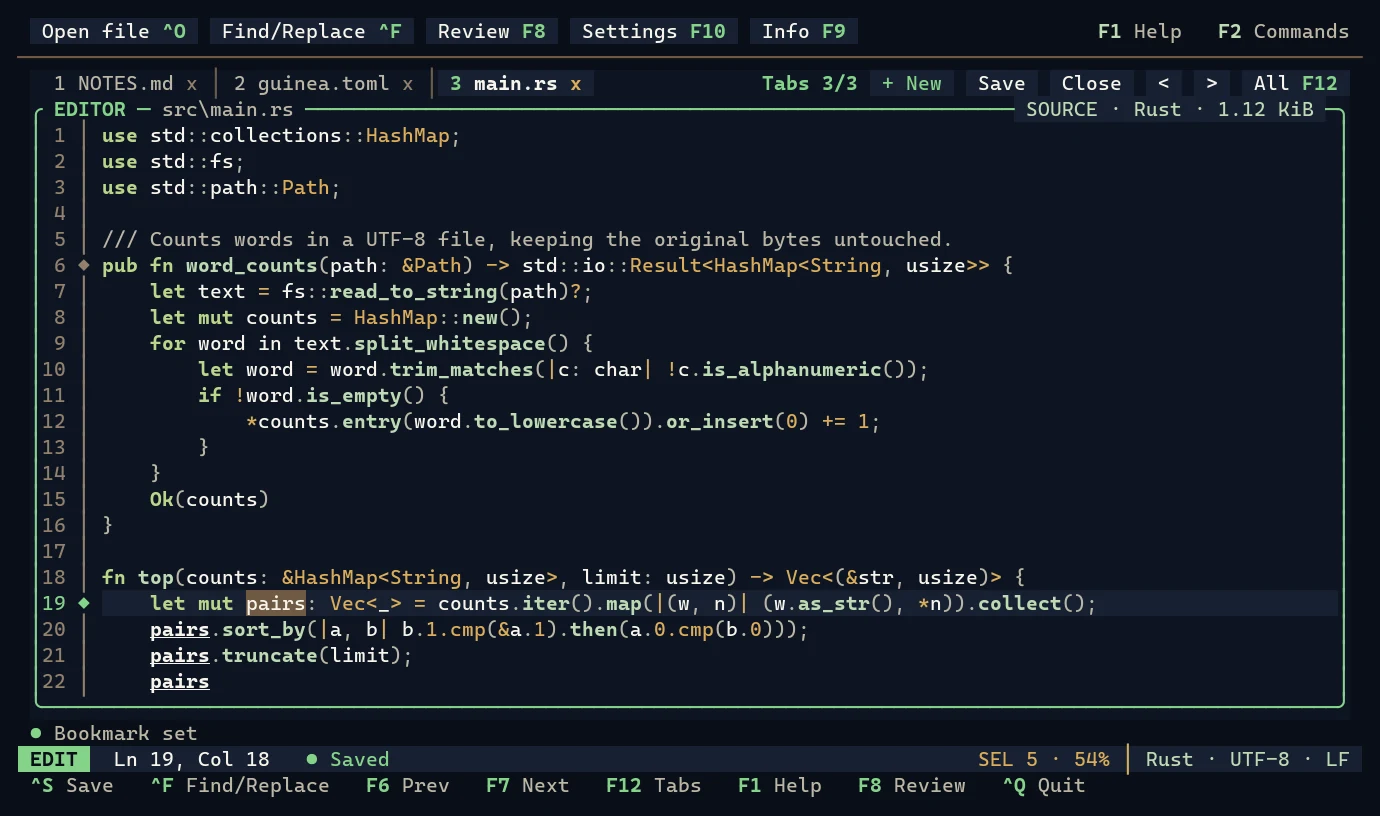
The real editor, captured from a terminal.
Up and running in a minute.
Pick how you want to install. Every option runs the same binary as the GitHub Release (same SHA-256), and none of them needs Rust.
npm / npx Windows x64
If you have Node.js, npm fetches the native editor for you. Nothing is compiled on your machine.
- Check that Node.js is 18 or newer
> node --versionNo Node.js? Use the Windows .zip instead — it needs nothing else.
- Run Guinea Note once, without installing
> npx guinea-note notes.md - Or install the
guineacommand for good> npm install -g guinea-note > guinea notes.md
On a Mac? Guinea Note is not released for macOS. Releases target Windows x64 and Linux x64 only.
Windows .zip portable
One folder with guinea.exe. No installer, no administrator rights, no Visual C++ runtime.
- Download the archive (PowerShell), or download it in the browser
PS> Invoke-WebRequest https://github.com/cmm-cmm/GuineaNote/releases/download/v0.1.3/guinea-0.1.3-x86_64-pc-windows-msvc.zip -OutFile guinea.zip - Check the SHA-256 — it must print
TruePS> Invoke-WebRequest https://github.com/cmm-cmm/GuineaNote/releases/download/v0.1.3/SHA256SUMS -OutFile SHA256SUMS PS> (Get-FileHash guinea.zip -Algorithm SHA256).Hash -eq ((Select-String windows-msvc.zip SHA256SUMS).Line -split ' ')[0]
- Unpack it
PS> Expand-Archive guinea.zip -DestinationPath "$env:LOCALAPPDATA\GuineaNote" - Add it to your PATH (current user only)
PS> [Environment]::SetEnvironmentVariable("Path", [Environment]::GetEnvironmentVariable("Path", "User") + ";$env:LOCALAPPDATA\GuineaNote\guinea-0.1.3-x86_64-pc-windows-msvc", "User")Then open a new terminal window so it sees the new PATH.
- Start editing
PS> guinea notes.md
Linux x64 static binary
One static (musl) binary that runs on any x64 distribution, with no dependencies.
- Download the archive and the checksums
$ curl -LO https://github.com/cmm-cmm/GuineaNote/releases/download/v0.1.1/guinea-0.1.1-x86_64-unknown-linux-musl.tar.gz
$ curl -LO https://github.com/cmm-cmm/GuineaNote/releases/download/v0.1.1/SHA256SUMS
- Check them — the line must end in
OK$ sha256sum --ignore-missing -c SHA256SUMS - Unpack and install
$ tar -xzf guinea-0.1.1-x86_64-unknown-linux-musl.tar.gz
$ install -m 755 guinea-0.1.1-x86_64-unknown-linux-musl/guinea ~/.local/bin/
If
guineais not found afterwards, add~/.local/binto your PATH. - Start editing
$ guinea notes.md
Linux is on version 0.1.1. Versions 0.1.2 and 0.1.3 were released for Windows only while the Linux build checks are paused; the Linux archive moves forward when they resume.
winget in review
The Windows Package Manager package cmm-cmm.GuineaNote is waiting for review in microsoft/winget-pkgs.
- Install, once the package is accepted
> winget install cmm-cmm.GuineaNote - Update later
> winget upgrade cmm-cmm.GuineaNote
Until the review is done these commands find nothing. Use npm or the Windows .zip today.
Cargo build from source
For Rust developers: Cargo builds a tagged release with your own toolchain (Rust 1.98 or newer; on Windows also the MSVC build tools).
- Build and install the editor
$ cargo install --git https://github.com/cmm-cmm/GuineaNote --tag v0.1.3 --locked guineanote - Optional: Agent access (
guineanote-agent,guineanote-mcp)$ cargo install --git https://github.com/cmm-cmm/GuineaNote --tag v0.1.3 --locked guinea-agent
Which one should I pick?
| Way | Best for | You need | Platforms | Version |
|---|---|---|---|---|
| npm / npx | Developers who already have Node.js | Node.js 18+ | Windows x64 | 0.1.3 |
| Windows .zip | Any Windows PC; offline, no admin rights | Nothing | Windows x64 | 0.1.3 |
| Linux archive | Any x64 distribution, servers, containers | Nothing | Linux x64 | 0.1.1 |
| winget | Windows users who manage apps with winget | winget | Windows x64 | in review |
| Cargo | Rust developers building from source | Rust 1.98+ | Windows, Linux | 0.1.3 |
Check that it works: guinea --version prints guinea 0.1.3 (guinea 0.1.1 on Linux).
Open. Edit. Save.
If you have used Notepad++, you already know most of it. There are no modes: you type, and the usual keys do the usual things.
Open a file
A missing path is created when you save. Several files open as tabs, and guinea alone reopens your last session.
$ guinea notes.mdEdit like Notepad++
Ctrl+S saves, Ctrl+F finds, Ctrl+Z undoes, Ctrl+D duplicates a line. Your BOM and line endings stay as they were.
Find any action
F2 lists every action with its key — or why it is unavailable right now. F1 shows the keyboard guide and Ctrl+Q quits.
Real screens, not mock-ups.
Every image is rendered from the editor running in a terminal.
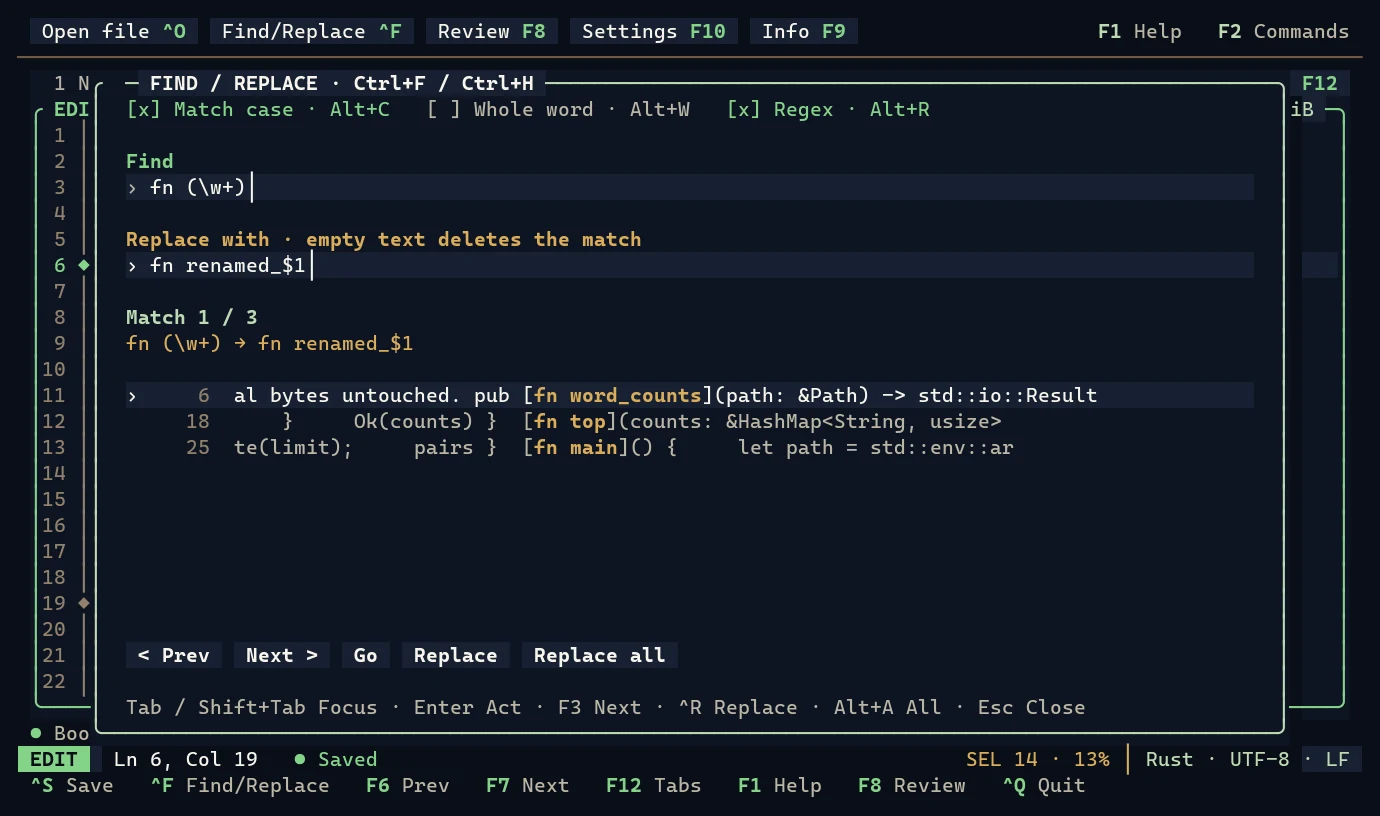
$1 replacements (Ctrl+F, Alt+R).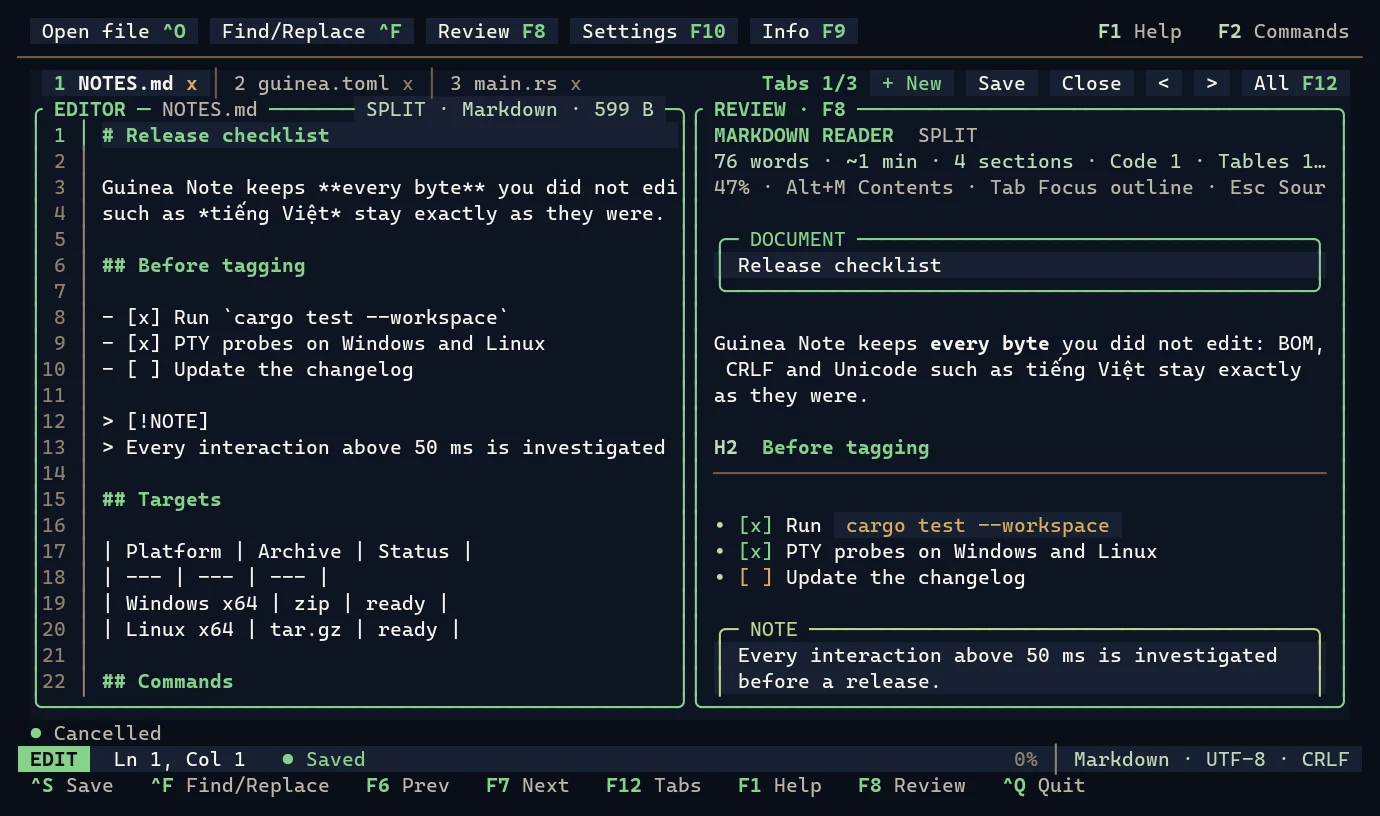
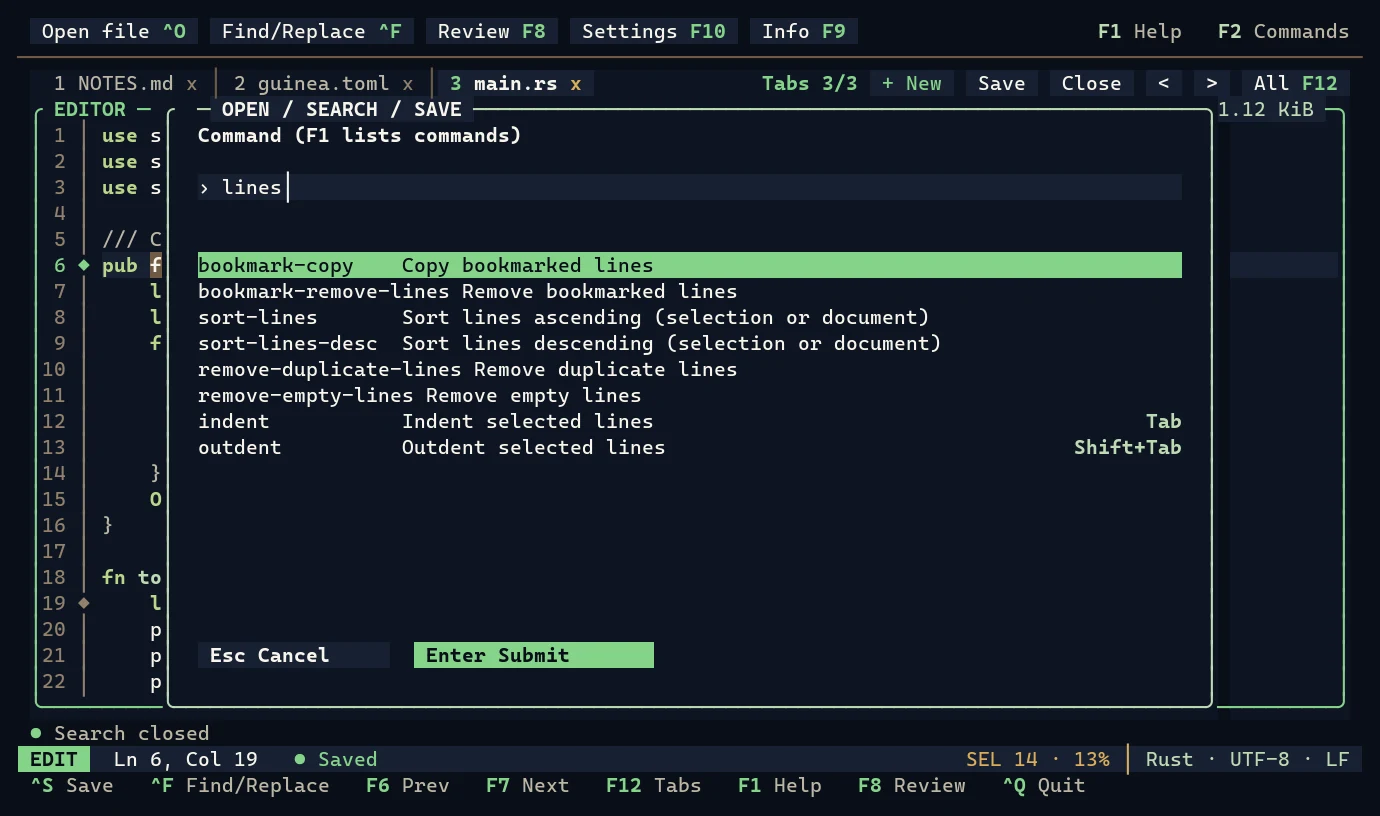
The Notepad++ toolbox, in a terminal.
Fast on big files, careful with your bytes, and every action reachable from the keyboard.
Tabs and session restore
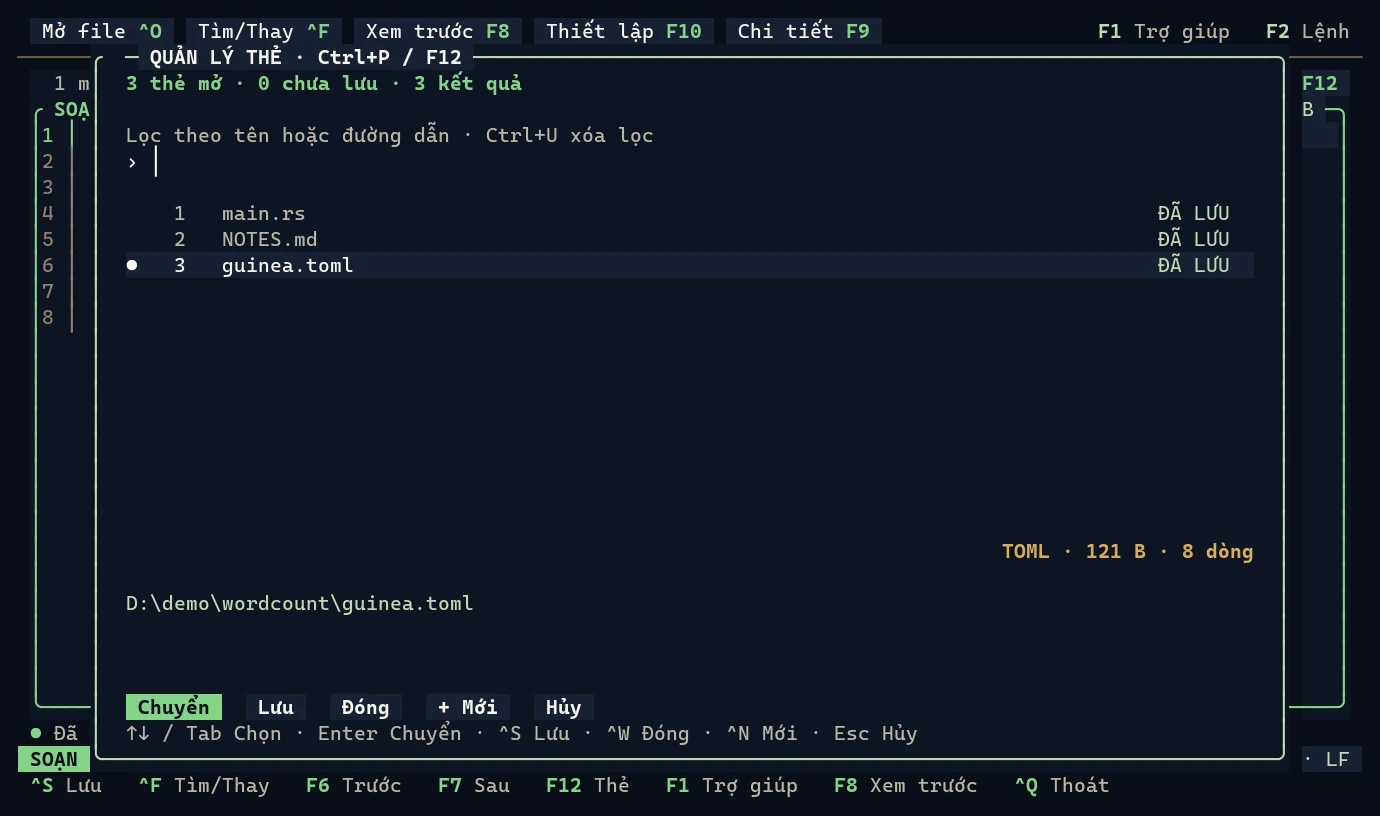
A one-row tab bar, a tab manager (F12 / Ctrl+P) to filter, switch, save and close tabs, and the next start reopens your files, carets and active tab.
Find/Replace with regex
One panel for both, linear-time regular expressions, $1 / ${name} replacements, Mark All. Replace all is one Undo step.
Line and text tools
Sort, remove duplicate or empty lines, trim trailing spaces, UPPER / lower / Title case, line comments, move and duplicate lines.
Your bytes, exactly
Strict UTF-8 with the BOM and LF / CRLF / mixed newlines kept as they were. Atomic saves, a conflict check when another program changed the file, and invalid encodings, binary files and symlinks refused rather than damaged.
Crash recovery
Unsaved tabs are checkpointed about once a second into a private store and come back as drafts after a crash.
Readable previews
Markdown, JSON, CSV/TSV, XML, TOML, YAML, INI/ENV and notebooks, side by side or in a linked read-only tab (F8).
Fast on big files
Long lines and big tools run in the background; keys typed meanwhile are queued, never dropped. Every interaction over 50 ms is investigated before a release.
Keyboard first
Every mouse action has a key, and the labels on screen come from the keymap itself. The mouse is optional.
English and Tiếng Việt
The whole interface in both languages: --language vi, or F10 Settings, which remembers your choice.
Opt-in Agent access
A JSON CLI and an MCP server let a local coding agent read and edit open documents — only when you start with --agent.
The keys you already know.
The full keymap, terminal conflicts and alternatives are in KEYBOARD_SHORTCUTS.md.
Where it runs, honestly.
A platform is called supported only after the editor has run natively on it.
| Platform | Status |
|---|---|
| Windows x64 (Windows Terminal, conhost) | Released, 0.1.3. Verified on Windows 11 with ConPTY, and by CI on an elevated runner. |
| Linux x64 (static musl) | Released, 0.1.1. Verified in a Debian 12 container; runs on Debian 11/12, Ubuntu 22.04 and Alpine 3.20. CI runs the tests on Linux for every change. |
| macOS | Not released and not tested. |
| ARM64, real Linux terminal emulators, SSH and tmux | Not verified yet. |
Questions, answered.
What is Guinea Note?
Guinea Note is a free, open-source text editor for the terminal, written in Rust. It works like Notepad++: tabs, one Find/Replace panel with regular expressions, line tools, bookmarks and session restore, with no modes to learn. The command is guinea.
How do I install Guinea Note on Windows?
With Node.js 18 or newer, run npx guinea-note notes.md, or npm install -g guinea-note to get the guinea command. Without Node.js, download guinea-0.1.3-x86_64-pc-windows-msvc.zip from GitHub Releases, check its SHA-256, unpack it and add the folder to your PATH (step by step). A winget package, cmm-cmm.GuineaNote, is in review.
How do I install Guinea Note on Linux?
Download guinea-0.1.1-x86_64-unknown-linux-musl.tar.gz and SHA256SUMS from GitHub Releases, check them with sha256sum --ignore-missing -c SHA256SUMS, unpack the archive and copy guinea into ~/.local/bin (step by step). The static binary runs on Debian 11 and 12, Ubuntu 22.04, Alpine 3.20 and other x64 distributions. Versions 0.1.2 and 0.1.3 were released for Windows only, so Linux stays on 0.1.1 for now.
Do I need Rust or Node.js to use Guinea Note?
No. The release archives are self-contained native binaries. Node.js 18 or newer is needed only to install through npm, and Rust 1.98 or newer only to build from source with cargo install.
Is Guinea Note free?
Yes. Guinea Note is free and open source under the MIT License. The source code is on GitHub at github.com/cmm-cmm/GuineaNote.
Does Guinea Note change my file's encoding or line endings?
No. Guinea Note edits UTF-8 and keeps the BOM and the original LF, CRLF or mixed newlines; bytes you did not edit are saved exactly as they were. Saves are atomic and stop with a conflict if another program changed the file. Other encodings, binary files and symlinked files are refused rather than damaged.
How is Guinea Note different from Nano or Vim?
Guinea Note is not modal: you type text directly and use familiar keys such as Ctrl+S, Ctrl+F, Ctrl+Z and Ctrl+Q. It is modeled on Notepad++ rather than Nano or Vim, with tabs, a Find/Replace panel and line tools. F2 lists every action with its key.
Does Guinea Note run on macOS?
No. Releases target Windows x64 and Linux x64 only; macOS is not released and not tested.
Can I use Guinea Note in Vietnamese?
Yes. The interface is available in English and Vietnamese. Start it with guinea --language vi, or switch the language in Settings (F10); the choice is remembered.
Can AI coding agents use Guinea Note?
Optionally. Start the editor with --agent to let a local agent read open documents through the guineanote-agent JSON CLI or the guineanote-mcp MCP server; add --agent-write to allow edits and saves. Agent access is off by default, and sensitive paths such as .env stay blocked unless you allow them.
Try it in one line.
Windows with Node.js 18+. Other setups: see all install options.
> npx guinea-note notes.mdVersion 0.1.3 · released 15 November 2026 · page updated 15 November 2026